
2026 Comprehensive guide to 15 Stock Photography Sites for Freelances & Agencies
I originally wrote this article in 2024 but thought it was time for an update. To start let me give you some background I’ve been building websites for over 25 years and I can tell you with all confidence the visual elements are just as crucial as the textual content.
High-quality images can make or break user engagement, and as web developers, they also fall into the realms of if a site looks professional and credible. We’re often faced with the dilemma of choosing between original photography and stock images. At Get Leads, original photography is always preferred for its authenticity and uniqueness, there are instances where stock photography fills the gap though and a stock library is definitely something a quality web developer needs up his or her sleeve even in Cairns or Wagga.
In 2026 it’s worth noting the place that generative AI has in the scheme of things with most stock libraries trying to stay ahead of the game int his area. It’s a complete different review across AI platforms as to the quality. That’s next on my list to tick off.
The below is subject to change and should always be checked before purchasing.
| Site | Subscription Cost (USD) | Pay Per Image | Licensing | Quality |
|---|---|---|---|---|
| Unsplash | Free | Not available | Free commercial use with restrictions | High, curated photography |
| iStock Essentials | $29/month (10 downloads) | Approx. $12/image via credits | Standard and Extended licenses | High quality, commercial-focused |
| iStock Signature | $70/month (10 downloads) | Approx. $12/image via credits | Standard and Extended licenses | Premium exclusive imagery |
| Getty Images | Enterprise pricing | $175+ per image typical | Rights-managed and Royalty-free | Industry-leading editorial and commercial imagery |
| Storyblocks | $30–35/month | Not available | Unlimited royalty-free downloads | Good, especially video-heavy |
| Envato Elements | $16.50/month, paid annually | Not available | Lifetime usage rights for registered projects | Excellent value for agencies |
| Death to Stock | $19/month Creator $69/month Agency |
Not available | Royalty-free | Highly artistic and unique |
| Adobe Stock | $29.99/month (10 assets) | Credit packs from approx. $10/image | Standard and Extended licenses | Very high quality, Adobe integration |
| Shutterstock | $29/month (10 downloads) | Approx. $10–25/image | Standard and Enhanced licenses | Huge library, AI search tools |
| Dreamstime | $25–30/month | Variable | Royalty-free and Extended licenses | Large but mixed quality |
| Alamy | No subscription required | $20–150+ per image | Rights-managed and Royalty-free | Strong editorial collection |
| Pixabay | Free | Not available | Free commercial use, no attribution required | Good, community sourced |
| Pexels | Free | Not available | Free commercial use, no attribution required | Very good lifestyle content |
| Depositphotos | $29–39/month | From approx. $1/image on packs | Standard and Extended licenses | Strong value option |
| Freepik Premium | Approx. $12–15/month, paid annually | Not available | Commercial licence included | Huge library of photos, vectors and AI assets |
| Stocksy | No subscription | $15–50+ per image | Royalty-free | Exceptional authenticity and lifestyle imagery |
Above is updated at June 2026
Let me start by saying that all the information in this post does need to be double checked if you’re going to buy a subscription or license from any of these websites. They could have changed, there could be deals to be had and you don’t want to find yourself with a license infringement.
Not all stock photography sites measure up, there’s a lot of sub-par stock out there that has no place in 2026 or even 2004. In this article, we’ll compare some of the best most popular stock photography sites I’ve used on my journey the following in no particular order:
- Unsplash
- iStock
- Getty
- Story Blocks
- Envanto Elements
- Death to Stock
- Adobe Stock
- 123RF
- Shuttershock
- Pixelbay
- Pexels
- Deposit Photos
- Dreamstime
- Alamy
Focusing on their costs, licensing, and quality. We’ll also look at some of the subscription options which are often the cheapest and most worthwhile compared to buying one here and there.
Please note there are a variety of terms and conditions which the names can vary between sites. Royalty free is often universal but when it comes to standard, extended, premium and so on you’ll need to read the fine print.
Generative Image AI Options in 2026
| Platform | Monthly Cost (USD) | Commercial Use | Strength | Best For |
|---|---|---|---|---|
| ChatGPT Plus | $20 | Yes | Best all-rounder | Website graphics, marketing imagery, blog visuals and client concepts |
| ChatGPT Pro | $200 | Yes | Highest usage limits | Agencies generating large volumes of images daily |
| Midjourney Standard | $30 | Yes | Artistic and photorealistic imagery | Creative campaigns, branding concepts and visual storytelling |
| Midjourney Pro | $60 | Yes | Heavy production | Studios and agencies producing large image libraries |
| Gemini Advanced | $20 | Yes | Google ecosystem integration | Google Workspace users and Imagen-powered workflows |
| Flux Pro | Usage-based | Usually | High realism | Developers and businesses requiring API-driven image generation |
| Adobe Firefly Premium | $10–30 | Yes | Commercially safe licensing | Designers working heavily within the Adobe Creative Cloud ecosystem |
Generative Video AI Options in 2026
My preference below is for Grok based on price however all are very good especially Veo. Video comparison really warrants a separate article and a youtube video to do the comparison.
| Platform | Monthly Cost (USD) | Commercial Use | Strength | Best For |
|---|---|---|---|---|
| Google Veo 3.1 | $8-$22+ | Yes | Industry-leading realism, native audio and dialogue generation | High-end marketing videos, commercials and cinematic content |
| Runway Gen-4.5 | $12-$28+ | Yes | Professional editing workflow and creative control | Agencies, video editors and production teams |
| Kling AI 3.0 | $6-$35+ | Yes | Exceptional value, long clips and strong motion realism | Social media content, marketing videos and bulk generation |
| Grok Imagine Video | $8+ | Yes | Very low generation cost and fast iteration | Quick concepts, social content and experimentation |
| Hailuo AI | $15+ | Yes | Excellent prompt adherence and value pricing | Short-form marketing content and UGC-style videos |
| Pika 2.2 | $8-$28+ | Yes | Easy to use with strong creative effects | Social media clips and animated content |
| Luma Dream Machine | $10-$30+ | Yes | Natural motion and image-to-video generation | Creative storytelling and concept visualisation |
| Haiper | $10-$29+ | Yes | Low-cost video generation | Budget-conscious creators and testing ideas |
| Adobe Firefly Video | $23-$60+ | Yes | Commercially safe licensing and Adobe integration | Creative Cloud users and agency workflows |
Now back to our image stock library comparisons.
The Preference for Original Photography
As I said previously for Get Leads original photography ensures that your visuals are unique and tailored specifically to your brand. It helps in creating a stronger brand identity and can improve the authenticity of your content. However, original photography comes with its own set of challenges, such as higher costs and the time required to capture the perfect shots. I’m a believer that you should concentrate on what you do well and leave the rest. That’s why I often outsource design, logos, branding and photography/videography.
In Wagga there are over 22 photographers, while in Cairns there’s hundreds to choose from. I’ve counted available online ready to do your commercial, wedding, baby, pet shoots. As such they range in price, experience and qualifications. I personally love being behind the camera and in the last 2 years I’ve improved my understanding of light and portrait photography in leaps and bounds but I have a lot I need to learn. While I have all the gear and no idea I don’t over estimate my skills and at the moment would use use either Cut Above or if Grant’s not available Matt Beaver or find someone else of reputable quality.
A photographer should set you back between $300-$5000 for a shoot depending on what you’re after. I always, always include photography in every website given it’s importance and never leave this up to the client to organise. For the most part if it’s a couple of hours I’d expect up to $800 for photos with usage rights across mediums. I don’t need them edited in light room which every photographer wants to do but I’d want to do this myself adding whatever filters and cropping I think works best. Personal preference while other web designers might see more value in outsourcing this.
The biggest advantage here is that you can use these photos without spending hours and hours to search for new ones and you know you can use them without licensing issues.
When to Use Stock Photography
Stock photography is often used when original photos aren’t available or when there’s a need to fill gaps in content quickly. While stock images are convenient, over-reliance on them can lead to generic visuals that fail to stand out. Therefore, it’s essential to choose high-quality stock images that align well with your brand’s aesthetic.
Comparison of Stock Photography Sites
To help you make an informed decision, here’s a detailed comparison of costs, licensing, and quality of some popular stock photography sites:
In-Depth Analysis of stock photo libraries
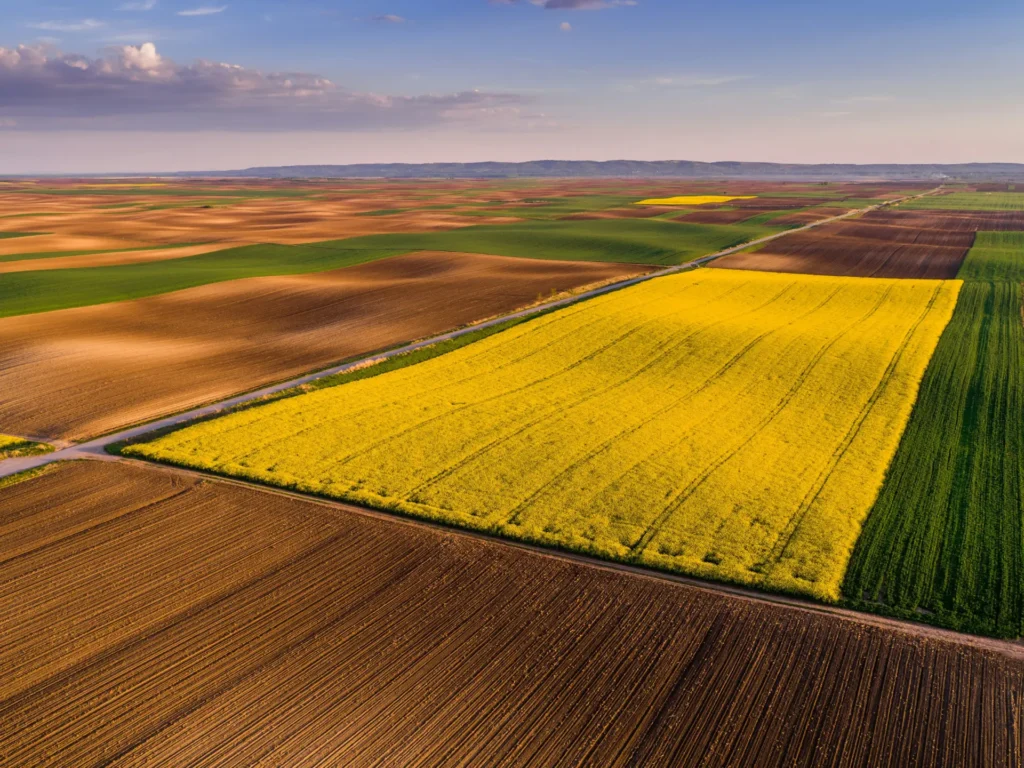
Unsplash: Known for its high-quality, curated images, Unsplash Premium offers a vast collection of free-to-use images, making it a go-to for many developers. The premium subscription provides additional exclusive content and better licensing options. I’ve been using this one for a couple of years and it’s a go to if I can’t find what I need at Adobe Stock.
The below image is from their plus collection.
iStock: With a wide range of high-quality images, iStock offers flexible pricing options. The standard and extended licenses ensure you have the necessary permissions for various uses, making it a reliable choice for professional projects. In 2024 I was subscribed to the $160 per month plan for well over a year and found it a little overkill for numbers and tried scaling back a little a month ago but because I couldn’t keep my credits which was really annoying I completely paused my subscription and went to Adobe for what was $29 per month for stock up until June 2026 at $43 per month when I cancelled Adobe as well.
The below image is from iStock from their Signature photos and as you can see it’s very, very nice.

Getty Images: Getty is renowned for its exclusive, high-quality images. While it’s on the pricier side, the investment is often worth it for projects requiring top-notch visuals. The licensing options are robust, catering to a wide array of needs. Wow are they expensive though and I would say if your client is a national brand then fine, if it’s a Riverina business making less than 3million a year then no way am I proposing a $500 image. Not much has changed here we still use Getty for high end customers which often exceeds getting a photographer to get the same shot.
Storyblocks: Storyblocks provides a good variety of royalty-free images at a reasonable subscription cost. It’s ideal for those needing a large volume of images without worrying about additional licensing fees. Reviewing this recently I found their strength is in video which is good and missing from my websites usually.
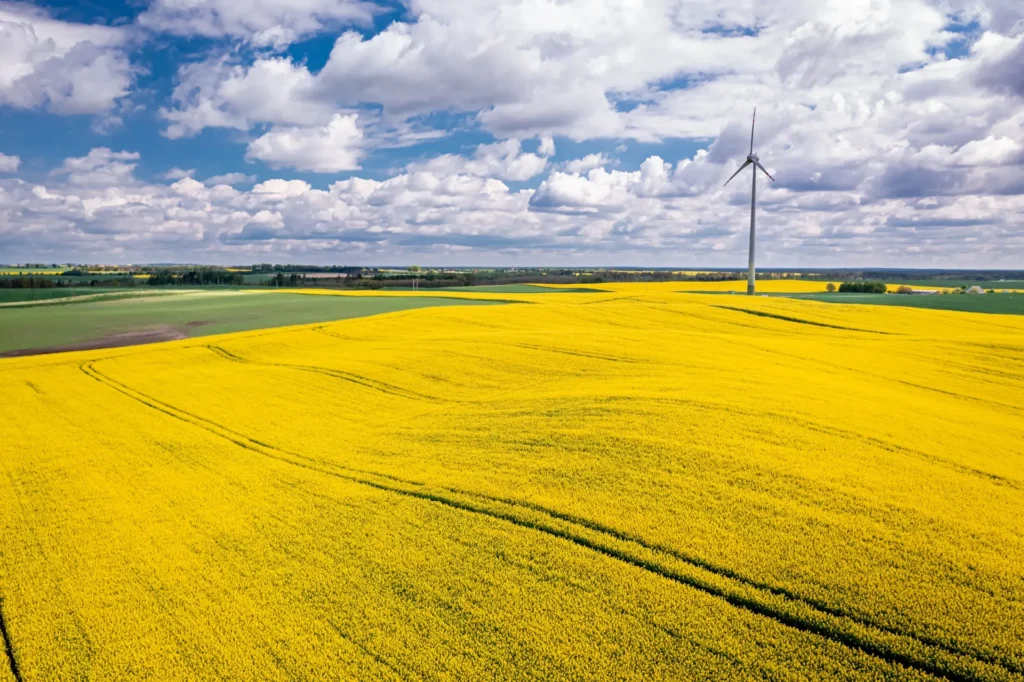
Envato Elements: This site offers an extensive library of images and other resources. The subscription model allows unlimited downloads, which is great for ongoing projects. However, the quality can vary, so careful selection is advised. Ok, so it’s a bit expensive if you look at it at a year at a time and monthly it almost doubles in price. The resources here are so diverse though and give you not only stock but also access to their templates such as Final cut pro templates I’m particularly keen on. The below is an image from their stock photography section, it’s interesting the way they license the photos is by you adding it to a project you need to create first. This is particularly interesting in that you may have many projects for many customers.
The video stock section is also really good, I like to ride my local mountain bike park and did a quick search and there was some footage there I was able to download and use below. Pretty amazing that this is a track I ride five times a week and it had footage available for download.
The quality here is top level unlike some of the other libraries you simply download the very top high quality and need to downscale from there where libraries like iStock with photos will have a 1920px image which is the primary style I’d use. Envato had me downloading 4k video and 5k images. Depending on your use I’m sure this is a good thing but for blogs like this one a it’s a bit overkill.
Death to Stock: This service prides itself on artistic, high-quality images. It’s perfect for brands looking for something more unique and less mainstream. The monthly subscription gives access to new, fresh content regularly. I was a bit confused on this one as I’d downloaded a free set of images every now and again from a newsletter signup I had ten years ago. These guys are really focused on the artistic aspects and won’t suit most client website stock photography needs.
Adobe Stock Library: Integrating seamlessly with Adobe’s suite of tools, Adobe Stock is an excellent choice for those already using Adobe products. The quality is consistently high, and the licensing is straightforward, covering a wide range of uses. While I’m not an Adobe cloud customer, I do pay for their font library and through my Lightroom signup that includes Photoshop as well. I don’t use illustrator or premiere because they’re just plain too expensive. Instead in 2026 I continue to use Affintiy Suite which was bought last year unfortunately by Canva I’m a guy who loves to pay once and use forever not that the pricing model works for the vendor. Same with Final Cut Pro. However their stock library is really impressive.
Pexels: Oh no, I almost forgot Pexles, it’s been around for a long while and is full of quality stock photos. I’d recommend this for high quality stock without the price tag. The biggest problem here is you see their stock absolutely everywhere. If you’re starting out with no budget it’s free so cast your net here for quality assets and you won’t be disappointed.
Below is from Pexels, not as Australian looking as the field from iStock and a little dull but there’s lots to choose from.
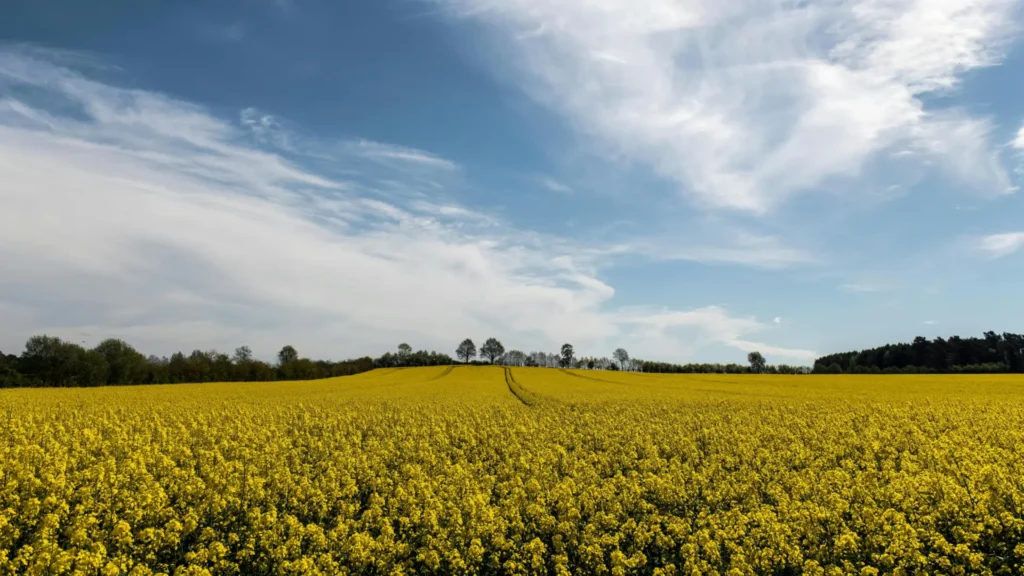
Photo AI features
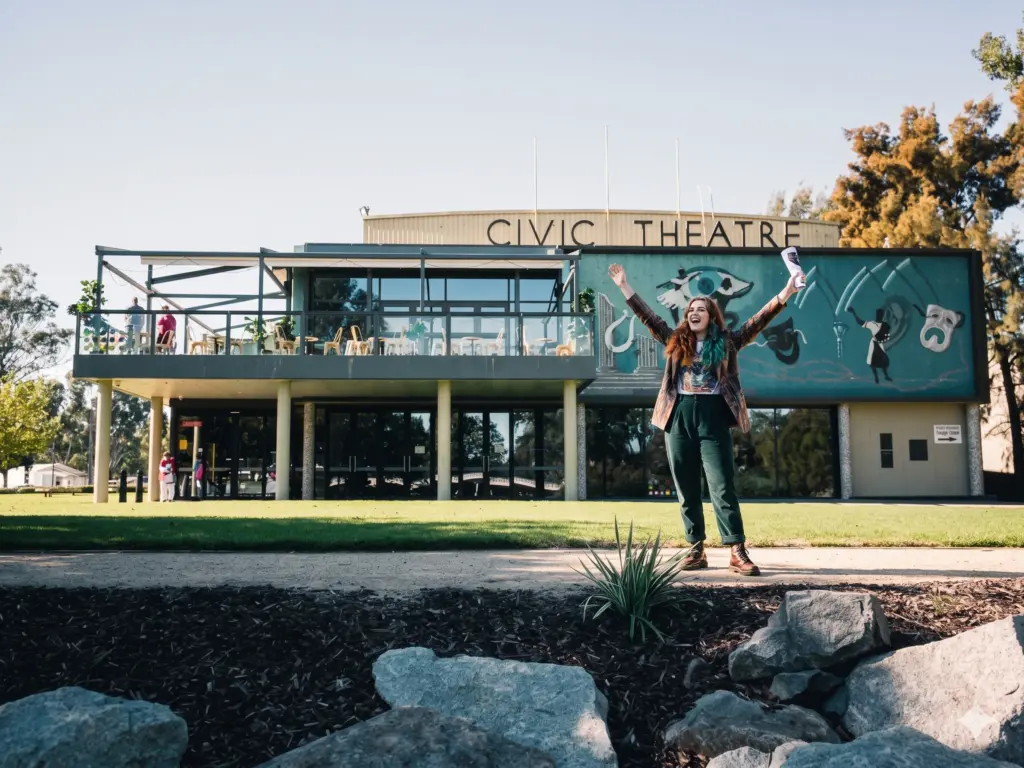
Challenge 1: producing a photo of the Civic Theatre Wagga in 2024 below
Not all of the above stock photo libraries have Photo AI available to be able to generate something a little bit different or custom to the millions of photos available but the few that do I run through in my video and at the end of it all I generate the same image I’m after using ChatGPT and we see a massive difference in the results. The below was my original shot image.
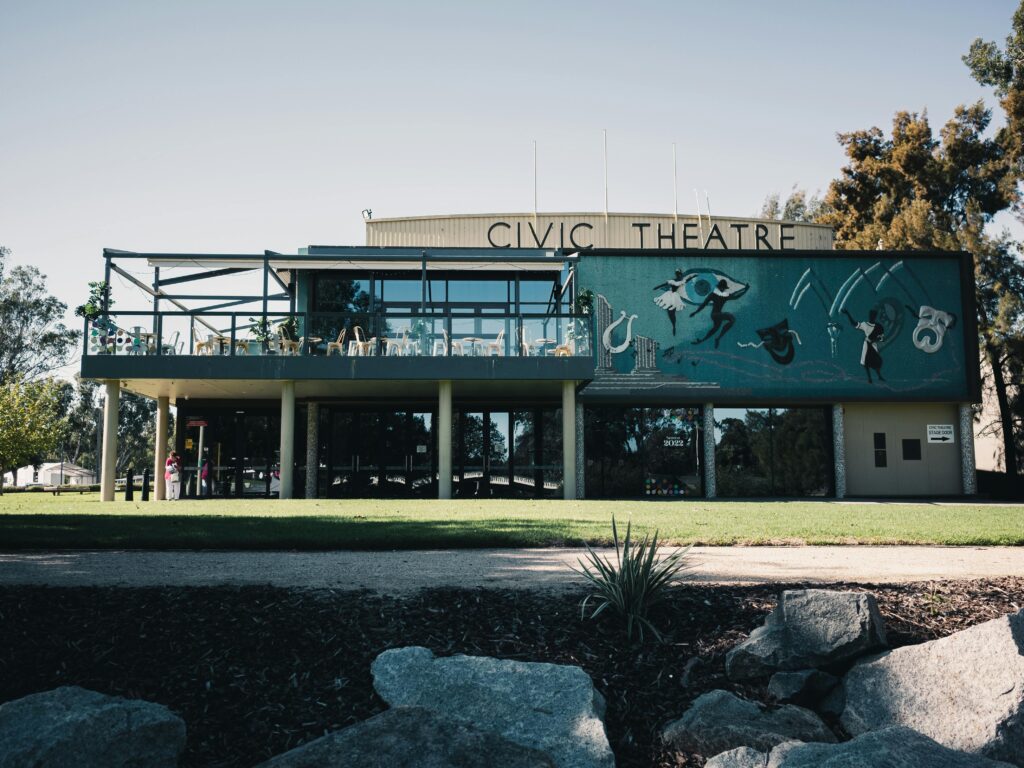
The challenge: “Imagine a realistic style image of a the building in Wagga called the Wagga Civic Theatre. I want to have a young creative lady standing in front of the building looking excited.” Similar to the image from Pexels. I limited the training for AI here to a single pass, so I wasn’t fine tuning any of the below with extra commands.
Chat GPT however did something that was far more superior and so because I’m using ChatGPT for code and a bunch of other things I’d simply stick with ChatGTP for stock images. Updating this in 2026 I’m not sure what model was used by ChatGPT to generate the below but I thought I’d give it another shot using the latest in 2026.
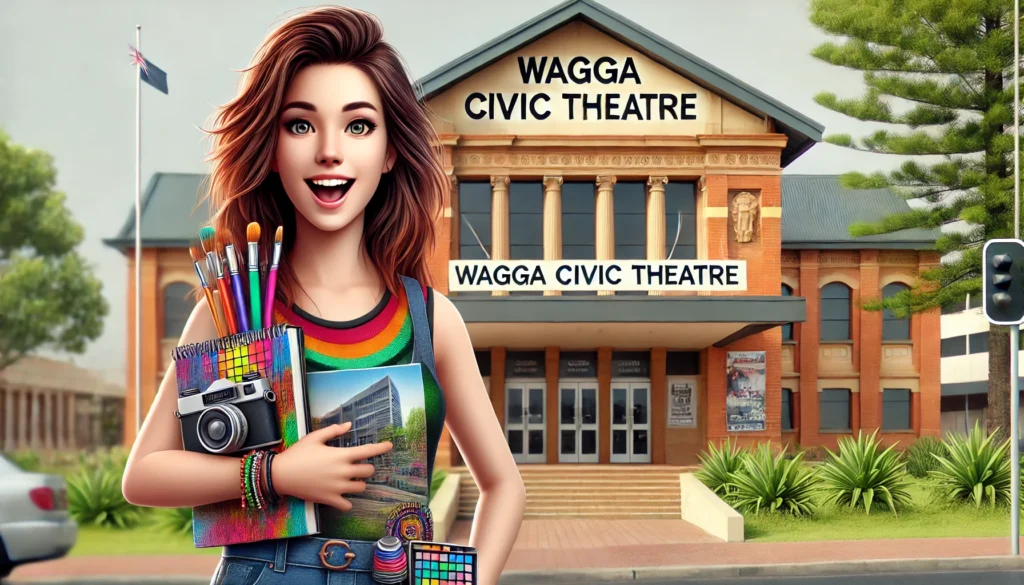
Pretty impressed not that it has any likeness but it’s just a better quality image. At the time in 2024 anything would impress me but I thought how has this changed since 2024 so I went ahead and generated the same thing to see how things have changed in 2 years. Absolutely mind blowing. Just to reinforce the below is not a real image but wow right I certainly cant tell and would assume it’s 100% real.
Now for a 2026 enhancement of that comparison above
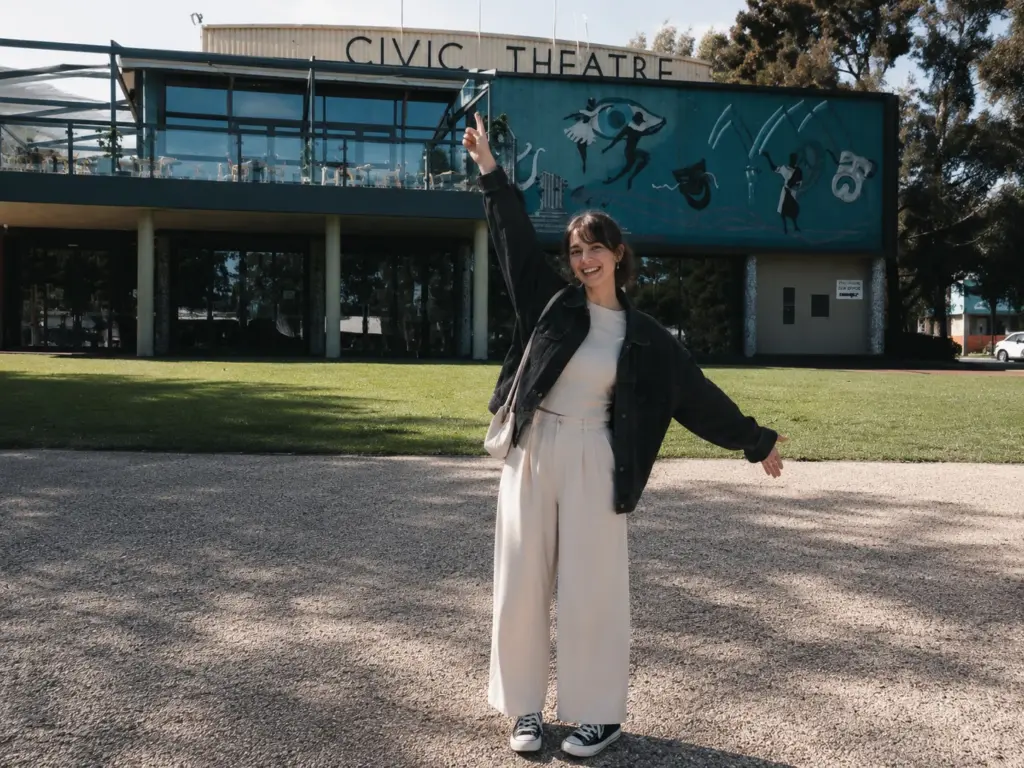
I’m sure there’s been a million reviews done across generative AI image comparison but as primarily a Cluade user I thought I’d give it a try in Claude to see what it would come up with. Unfortunately it wasn’t as easy and it basically came back and said it wouldn’t do it and go and use OpenAI which I was really surprised about. Because I also use Grok a space X based AI system that also does video I thought i’d give it the same challenge. Grok is premium paid platform however I wasn’t as impressed as to it’s attempt compared to OpenAI. The lighting on the below is just all wrong.
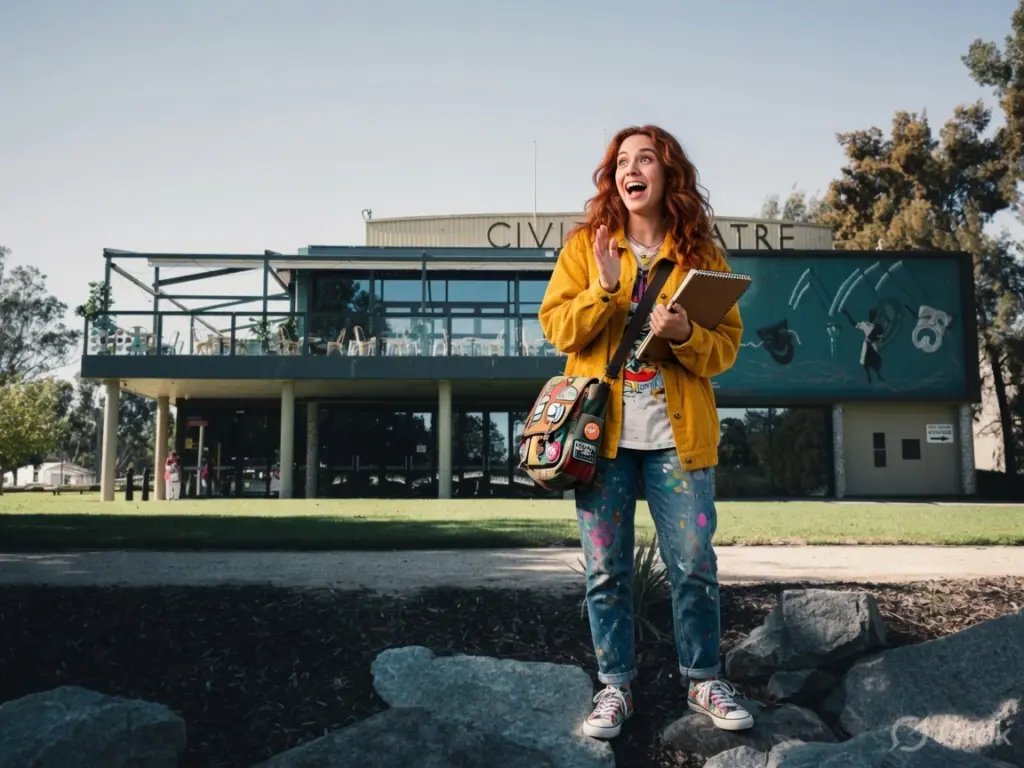
How could I forget Google nano banana 2 image generation. Under the Gemini AI brand and using Google Workspaces I get access to this platform but to be honest never use it although I have incorporated it into our internal Content Flow AU system which is worth reading about for planning strategy and websites. As you’ll see below the results are just as impressive as ChatGPT.
Grok is actually known for it’s AI video generation and so lets convert do both images Groks image and our 2026 ChatGPT designer with it’s video capability given our use case I thought it would be worth giving it a try. See both the outcomes below:
Meet Alisha:
Vs. Grok using our original ChatGPT photo.
Clearly it’s done a great job with our ChatGPT image and to be honest completely beleivable.
Now for our Google option with Grok which It think will be on par with our base ChatGPT image.
In 2026 the question around Generative AI for video as it being less authentic is where I see customers leaning more on the side of getting real videos completed by professional videographers but it’s certainly going to hurt that industry regardless. What is actually real vs what is generated will become more mainstream I’m sure into 2027.
2024 note: I didn’t get to test drive Shutter Stock as I don’t have any licensing for it but certainly some of the others I could describe as doing what I consider a fairly poor job not saying Shutter Stock would be the same but here’s some other examples.
Here’s my original 2024 test image from iStock unfortunately in 2026 no longer a member so can’t really cmopare

In 2024 I thought Adobe was pretty good just as good as ChatGPT back then but interestingly it pictured a dark skin lady in front of the civic theatre. On par I’d say with ChatGPT for quality, at the present time I don’t have licensing here for Adobe to download and display but it is free to try and test around so give it a try yourself.
Stock Library Wrap-Up
In 2026 Adobe stock library is really good quality but it’s almost twice as expensive as two years ago. I plan to also discontinue this in favour of use of Grok with ChatGPT based images. The above video of Alisha was truely impressive. Further to this argument is increasingly I’m seeing “Premium” in the library wanting me to pay hundreds of images presented to me. While it’s good they’re giving you the option I see this as an upsell especially when there’s more of these than the images I’m actually paying for.
Generative AI using the three examples I gave are clearly going to explode into the future. What’s interesting is seeing how far things have come in only two years and while I didn’t have any video generated by AI two years ago there’s several options out there now not just Grok which I’ve used in this comparison.
For stock though as a web developer or freelancer now in Cairns in 2026, for Get Leads choosing the right visuals for your projects is crucial. While original photography should always be the first choice for its authenticity and ability to create a strong brand identity, stock photography is a valuable resource for filling gaps. Understanding the differences in cost, licensing, and quality among stock photography sites can help you make better decisions and ensure your projects stand out. Each platform has its strengths and is suited to different needs and budgets, so choose wisely based on your specific requirements.
If I have to use stock then for me personally I think the combo of completely FREE Unsplash and Envanto Elements these are probably the best combo for this 2026 review but next year I’ll look at switching one or all of these out and maybe even moving back to iStock or Adobe and both did serve me oh so well for the past 12 months. Video though is booming on social and on web and is definitely something that some clients love in their hero despite the speed penalty and as long as it’s the right video that adds to the value of the message then Envanto I think will pay for itself in no time.